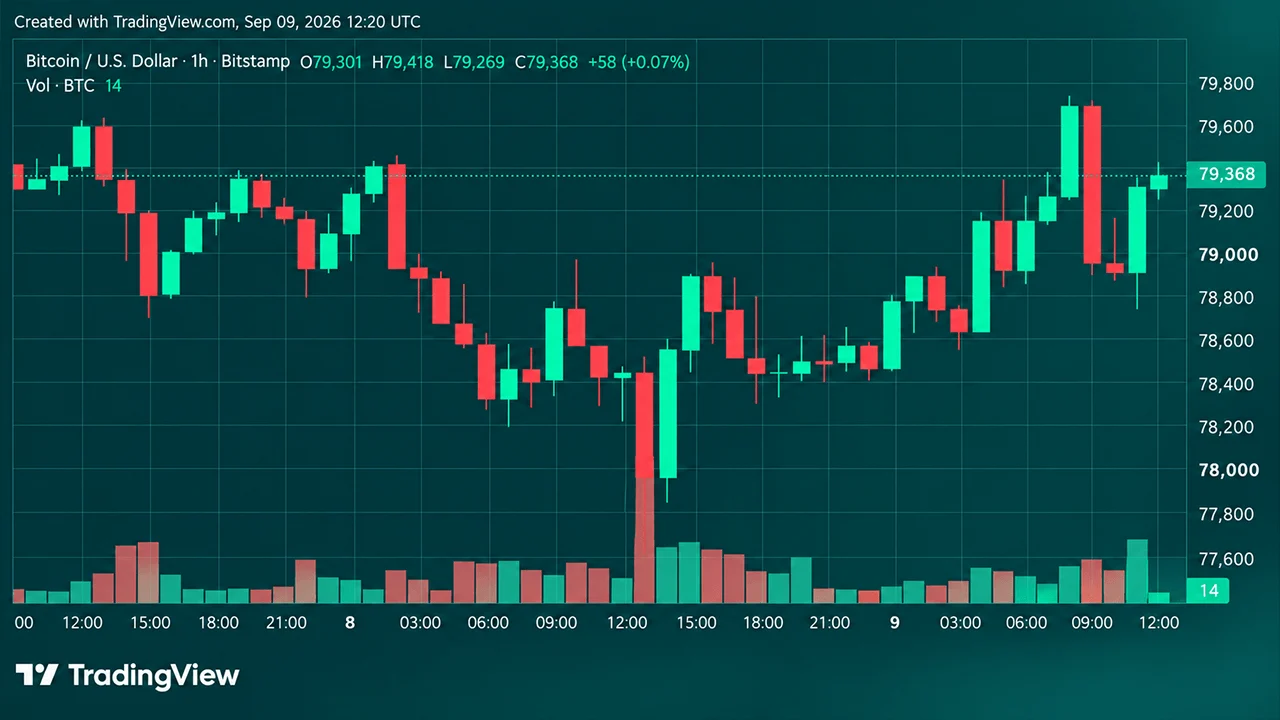
Bitcoin Price Slips Below $84K as 20-Minute Flush Erases $400M in Longs
The bitcoin price fell about $1,765 in 20 minutes to $83,577, liquidating over $400M in longs three days before the Oct. 10 crash anniversary.
Buy DOT with a credit card, debit card or bank transfer, delivered to a Polkadot address you control. From $20, with the fee and the exact DOT you'll receive shown before you confirm.
Other popular cryptocurrencies to buy
Your address: you give the Polkadot address before you pay.
Delivered, not held: the DOT goes there once the payment clears.
No exchange account: nothing to open, and nothing to withdraw afterwards.
The rate: the live DOT price your money converts at.
The fees: the processing fee and the network fee, shown up front.
Your DOT: the estimated amount that reaches your address. You buy by amount, not by the coin.
Cards: debit or credit card; see MoonPay's payment methods by country.
Bank transfer: where offered in your country, usually cheaper and slower than a card.
Private card details: a regulated provider handles card payments under PCI-DSS, and Bitcoin.com never sees your card details.
Buy DOT by card or bank transfer, no exchange account needed
From $20, with the fee shown before you confirm
Have your Polkadot address ready before you start
Buy DOT by card or bank transfer, no exchange account needed
From $20, with the fee shown before you confirm
Have your Polkadot address ready before you start
Buy DOT by card or bank transfer, no exchange account needed
From $20, with the fee shown before you confirm
Have your Polkadot address ready before you start
Have a Polkadot address ready, choose an amount and a payment method, and review the quote before you buy.

1. Get a Polkadot address
You need a wallet that supports the Polkadot network and Polkadot Hub. The Bitcoin.com Wallet holds DOT only as a BEP-20 token on BNB Smart Chain, not native DOT, so use a wallet that supports Polkadot and copy its Polkadot address, which starts with 1. Check it again after you paste it into the order.
2. Enter how much DOT you want to buy
Choose your currency and enter an amount from $20 in the buy widget. You'll see an estimate of how much DOT you'll receive at the current quoted rate. You buy by amount rather than by the coin, so you don't need to buy a whole DOT.
3. Choose your payment method
Pick from the options available to you, which depend on your country: see MoonPay's payment methods by country. Card is usually the faster option; bank transfer usually costs less and takes longer. What you see depends on your country and on the payment provider shown at checkout.
4. Sign in and verify with the payment provider
5. Receive your DOT
Three things to check before you pay, and again whenever you move your DOT.
A Polkadot address starts with 1. Kusama addresses start with a capital letter, and Ethereum or BNB Smart Chain addresses won't work.
Since November 2025, DOT balances live on Polkadot Hub. Your address didn't change, but a wallet that was never updated may show a zero balance.

Polkadot connects separate blockchains so they can share security and pass messages to each other. DOT pays the network's fees, is staked to secure it, and is used to vote in its on-chain governance.
Kusama is Polkadot's sister “canary” network, with its own token and its own addresses. Buying one is not buying the other, and the two aren't interchangeable.
A governance vote in September 2025 capped total DOT supply at 2.1 billion. New issuance steps down every two years from March 2026.

You buy by amount rather than by whole coins, and the quote shows the exact DOT you'll receive before you confirm.
Four separate things, and only three of them are fees.
Set by the payment provider and the method you choose, and shown before you confirm.
Any margin built into the exchange rate. Compare quotes on the DOT you receive, and check the market rate on DOT to USD.
Your DOT lands at the Polkadot address you gave. Here is what you can do next.
It stays at your Polkadot address, under your own keys.
Have your Polkadot address ready, and see the exact DOT and the fee before you pay.
The purchase is processed by the payment provider shown at checkout, which is MoonPay wherever MoonPay operates. On your first order it asks you to sign in and verify your identity, usually with a government-issued photo ID. Then check the rate, the fee and the DOT you'll receive before you confirm.
Once the payment is processed, your DOT is sent to the Polkadot address you gave. Most orders arrive soon after the payment clears, but delivery can take up to two hours. Bank transfers take longer to clear before anything is sent.
Every Polkadot account must keep 0.01 DOT (as of October 2026). Go below it and the account closes and the rest is lost, so send everything or leave some behind.
Sending DOT on Polkadot Hub costs a small fee paid in DOT, normally a small fraction of one DOT.
Not a fee. The 0.01 DOT existential deposit keeps an account open, and nobody receives it.
See the live Polkadot (DOT) rate, chart and market data.
Work out what your DOT is worth in dollars.
Convert DOT back to your local currency where supported.
Not native DOT. The Bitcoin.com Wallet app holds DOT only as a BEP-20 token on BNB Smart Chain, one of its supported networks, and the DOT bought here is native DOT on Polkadot Hub, so the app can't receive it. Buy here and send the DOT to a wallet that supports Polkadot and Polkadot Hub.
It depends on the live DOT price, which moves. You buy by amount rather than by whole coins, and the buy widget shows exactly how much DOT you'll receive before you confirm. You can also check the current rate on the Polkadot (DOT) price page.
Yes. Selling works like the purchase in reverse: a payment provider takes the DOT and pays out to a card or bank account, subject to the verification and regional limits that apply to you. Start from the sell DOT page. If your DOT is staked, unbond it first.
Whether you can buy DOT here depends on where you live and on the payment provider processing the purchase, and the same goes for the payment methods you see. Enter an amount in the buy widget and it shows exactly what is available at your location before you pay. You don't need an account at any particular exchange: this page delivers DOT to a Polkadot address you control.
In the US, DOT is available here where the payment provider at checkout serves your state, and it is also listed on several large US exchanges. The question comes up a lot because many of the answers online are old forum threads, written before most of those listings existed.
In the UK and the EU, card payments are joined by bank transfer, where offered (see MoonPay's payment methods by country), which usually costs less than a card.
In Canada and Australia, a debit or credit card is the usual route. Enter an amount and the widget tells you whether DOT and your preferred payment method are available before you go any further.
There are five common ways to get DOT, and they differ in who holds it afterwards and what you have to set up first.
| Route | Account needed | Where the DOT ends up | What to watch |
|---|---|---|---|
| Card or bank purchase to your own address (this page) | None beyond the provider's ID check | A Polkadot address you control | Processing fee and rate spread, shown before you confirm |
| Centralized exchange | Exchange account with full verification | The exchange's custody until you withdraw | The withdrawal fee, and whether withdrawals go out on Polkadot Hub |
| Brokerage or trading app | Brokerage account | Usually the platform's custody | Whether you can withdraw DOT at all |
| A hardware wallet's buy feature | The partner provider's ID check | Your hardware wallet | The partner's fees, which vary |
| Swap from a coin you already hold | None | Your wallet, on-chain | Swap rate and network fees, with no fiat involved |
Buying here, or through a hardware wallet's partner, puts DOT at an address you control from the start. An exchange keeps it in your exchange account until you withdraw it, and a brokerage app may not let you withdraw it at all. If you already hold crypto, swapping avoids a card or bank payment altogether, and you pay the swap rate instead.
The address has to come from a wallet that supports the Polkadot network. The Bitcoin.com Wallet holds DOT only as a BEP-20 token on BNB Smart Chain (see its supported networks), so it can't give you a Polkadot address, and its Ethereum, BNB Smart Chain or Solana addresses won't receive the native DOT bought here. When you choose a wallet, check four things.
Polkadot network support. The wallet should list Polkadot (DOT) itself, not a wrapped or bridged version of DOT on another chain.
Polkadot Hub support. Since the November 2025 upgrade, balances live on Polkadot Hub. A wallet that hasn't been updated may show nothing even though your DOT is there.
A recovery phrase you back up. Write it down and keep it offline. Whoever has it controls the DOT.
A hardware option, if you are holding a larger amount. A hardware device keeps the keys off your phone or computer.
Polkadot keeps its own list of wallet options for storing DOT. In the wallet you pick, open Receive and copy the address that starts with 1. Never use an address sent to you in a direct message or by someone claiming to be support: nobody legitimate needs you to send DOT to an address they choose.
Card purchases are usually the faster option. You enter an amount, pick your card, and the DOT is sent to the address you gave once the payment clears. Debit and credit cards are the widely available options; the rest depend on your country (see MoonPay's payment methods by country). Bank transfer usually costs less than a card and takes longer to settle. The provider lists exactly what you can use before you confirm.
Before paying by credit card, check one thing: some issuers treat cryptocurrency purchases as a cash advance rather than an ordinary purchase, which can mean a higher interest rate with no grace period plus a cash-advance fee, on top of the purchase fee. That is your card issuer's decision, not Bitcoin.com's. Debit-card purchases generally don't carry cash-advance interest, although bank, issuer or provider fees may still apply. How payment methods compare across crypto generally is set out on our page dedicated to buying crypto.
The minimum purchase is generally $20 and can vary by asset and network, and you don't need to buy a whole DOT. The clearest way to compare routes is how much DOT you end up with for the amount you paid, and the quote shows that figure before you confirm.
Not here. A regulated provider converting money into crypto has to verify who you are before it processes the purchase. It usually asks for a government-issued photo ID, sometimes with a selfie or proof of address, depending on the provider, the amount and where you live. The provider sets the requirements, not Bitcoin.com, and it tells you what it needs while you are buying.
The check covers the fiat purchase, not what you do with DOT afterwards. Once DOT is at an address you control, you hold it directly. Swapping crypto you already hold for DOT involves no card or bank payment.
Staking on Polkadot means bonding your DOT and nominating validators, the operators who produce blocks and secure the network. In return you can earn a share of the staking rewards, which are paid from new issuance. There are two ways in.
Nomination pools. A pool lets you join with as little as 1 DOT (as of October 2026). The pool nominates validators on behalf of its members, and rewards are shared in proportion to what each member bonded. This is how most people with smaller amounts stake.
Nominating directly. Nominating validators yourself needs a few hundred DOT, and the minimum moves from one era to the next, so check the current figure in your wallet before you bond.
Rewards and risks. Rewards vary with issuance and with how much DOT is staked across the network, and they are not guaranteed. Validators that misbehave can be penalised, and the DOT bonded behind them, including through a pool, can be cut as well.
The 28-day unbonding period. When you unstake, your DOT stays locked for 28 days before you can move or sell it, and it earns nothing in that time. If you might need the money at short notice, keep that part unstaked.
Staking happens in a Polkadot wallet that supports it, on Polkadot Hub. Bitcoin.com does not offer DOT staking, and buying here doesn't stake anything for you.
This page can't tell you whether to buy DOT, and anyone quoting you a future price is guessing. What it can do is set out what you would be buying.
DOT's price is volatile and has fallen a long way from its highs. The live chart and market data are on the Polkadot (DOT) price page.
The supply rules have changed more than once. In August 2020 DOT was redenominated so that one original DOT became 100 of today's, which is why prices quoted before then look a hundred times higher. In 2025 governance capped total supply at 2.1 billion DOT, with new issuance stepping down every two years from March 2026. Staking rewards come from that issuance, so holders who don't stake are diluted by those who do.
DOT is a network token, not a share in any company. Its price can fall as well as rise, so buy only what you can afford to lose.
Turning DOT back into your local currency is the purchase run backwards: a provider takes the DOT and pays out to a card or bank account, within the verification rules and regional limits that apply to you. The sell DOT page starts that. Swapping DOT for another cryptocurrency stays on-chain and doesn't produce cash.
To see what a holding is worth before you decide, DOT to USD does the arithmetic. If your DOT is staked, unbond it first and allow 28 days before it can be sold.